Guide · Typing the symbol
How to Type
the Dirham Symbol.
The new UAE Dirham symbol is official, but your keyboard has no key for it. Here are the methods that work today, step by step, and what changes when your devices update.
Short answer
No keyboard has a Dirham key yet. You have two options:
- Use a font that has the symbol. Install Dirham Font, type D, and apply the font. It works in Word, Excel, PowerPoint, Pages, Photoshop, Illustrator and Figma.
- Type its Unicode code, 20C3. In Word on Windows, type
20C3and press Alt+X. In Excel, use=UNICHAR(8387). You only see the symbol if your font can draw it. Otherwise you get an empty box.
What is the new Dirham symbol?
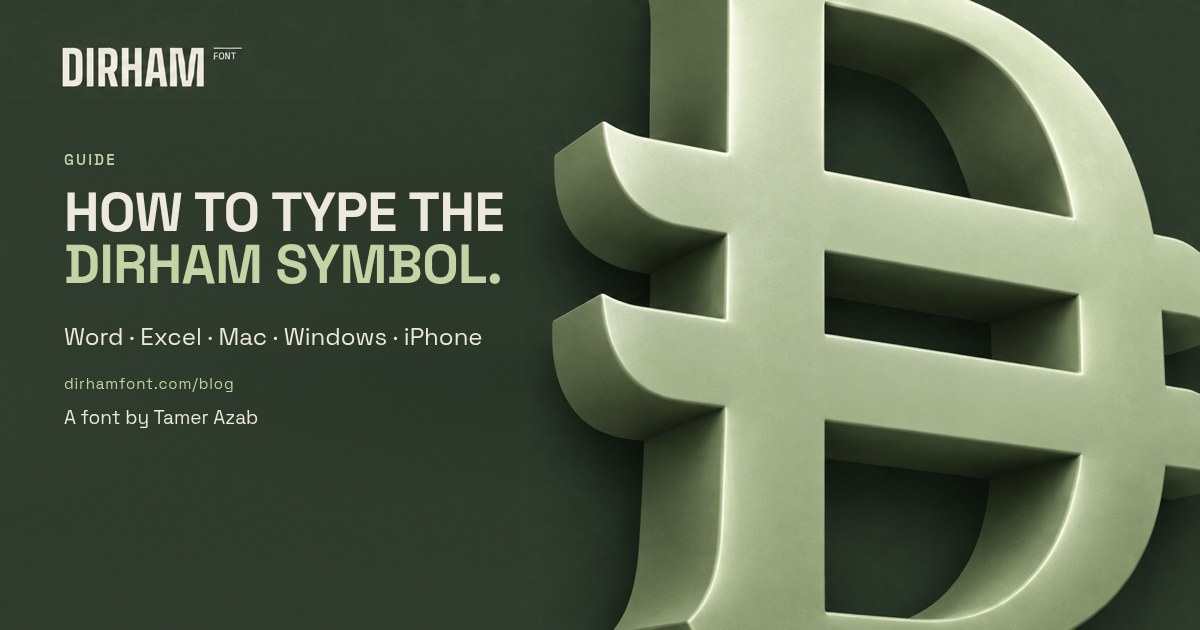
The Central Bank of the UAE unveiled the new Dirham symbol on 27 March 2025. It is a Latin letter D crossed by two horizontal lines, inspired by the UAE flag. The Central Bank's guideline says it is meant for receipts, price tags, invoices, apps and websites.
A symbol only becomes typeable once it has a Unicode code point. Unicode 18.0 came out on 16 September 2026 and gave the Dirham sign its own code: U+20C3 UAE DIRHAM SIGN. That is the step that lets phones and computers treat it as text, the same way they treat $ or €.
Why is the new Dirham symbol not showing?
Unicode assigns the number, but it doesn't put a drawing of the symbol on your device. Your phone or laptop can only show a character if one of its fonts includes it. Until Apple, Microsoft, Google and the app makers update their fonts, U+20C3 often shows up as a small empty rectangle.
The Unicode Consortium asked companies not to ship support before the 18.0 release, so updates are arriving gradually. That is why the code method below works on some devices and not others.
How to type the Dirham symbol with a font (works today)
A font is the most reliable option right now, because it brings its own drawing of the symbol. Dirham Font, which I designed, puts the symbol on the D key, so you don't have to remember a code.
- Get the font. Buy Dirham Font (AED 10, one-time) and unzip the download. You get OTF, TTF and WOFF files.
- Install on Mac. Double-click
Dirham-Regular.otfand click Install Font in Font Book. - Install on Windows. Right-click
Dirham-Regular.ttfand choose Install. - Type it. Close and reopen Word, Excel, PowerPoint or Pages. Type D where you want the symbol, select just that letter, and set its font to Dirham.
- Keep your numbers in your usual font. Only the symbol uses Dirham. Your prices stay in the typeface you already like: 250
Sending a Word file? The other person needs the font too, or Word has to carry it. In Word for Windows, go to File → Options → Save and tick Embed fonts in the file. Or export a PDF, which always keeps the symbol.
Dirham symbol Unicode: type 20C3 in Word, Excel or on Mac
This inserts the real Unicode character. It is the future-proof way, but you only see the symbol if your font has it.
- Word on Windows: type
20C3, then press Alt+X. Word swaps the code for the character. Press Alt+X again to switch it back. - Excel (Windows or Mac): type
=UNICHAR(8387)in a cell. 8387 is 20C3 written as a regular number. - Any app on Mac: open System Settings → Keyboard → Text Input → Edit, click + and add Unicode Hex Input. Switch to it from the menu bar, hold Option and type
20C3. - Websites: write
⃃in your HTML.
Or copy it straight from here:
How to type the Dirham symbol on iPhone and WhatsApp
There is no Dirham key on the iPhone or Android keyboard yet. You can copy the character with the button above and paste it into a message. Whether it looks right depends on the other person's phone. If their fonts haven't updated, they see a box.
For Instagram posts and stories, put the symbol inside the image. Design it in Canva or Figma with the font, then export. In captions, write AED or Dhs for now. Our guide to using the Dirham symbol in Canva and Instagram walks through it.
Does the Dirham symbol go before or after the number?
The Central Bank's guideline has a few simple rules. Most of the mistakes we see break one of them:
- Before the number. The symbol goes to the left of the amount, with a space between them.
- Same height as the numbers. Don't let it tower over the digits or shrink beneath them.
- Not with “AED”. Use the symbol or the code AED, not both together.
- Not too small. The guideline sets minimum sizes of 12px on screens and 5pt in print.
Will you still need a Dirham font after the update?
Once your devices update, the code method will display correctly on most of them, and that is good news. A font is still useful when you design. It lets you match the symbol to your layout, use it in apps that only offer the fonts you install, and get the same look in print, on older computers and in shared files. If you need the symbol today, a font is the way to get it.
Keep reading: How to use the Dirham symbol in Canva, Instagram and price lists. Pricing in Saudi riyals too? How to type the new Saudi Riyal symbol in Word, Excel and iPhone.
Questions people ask
Is there a keyboard shortcut for the Dirham symbol?
Not a built-in one. In Word on Windows, type 20C3 and press Alt+X. On a Mac, use the Unicode Hex Input keyboard and type Option+20C3. With Dirham Font installed, you just type D and apply the font.
Why does the Dirham symbol show as a box?
Your device doesn't yet have a font that includes U+20C3, which was only added in Unicode 18.0 in September 2026. It will display once your system fonts update, or straight away if you apply a font that includes the symbol.
Can I keep writing AED?
Yes. AED is still the currency code. The Central Bank's guideline asks you not to put the symbol and AED side by side.
Does Dirham Font work in Canva?
Yes, if your Canva plan lets you upload fonts to a Brand Kit (Canva Pro, Teams and some other plans). Upload the OTF or TTF file, then type D and choose the Dirham font.
Sources
- CBUAE press release: “CBUAE Unveils New Dirham Symbol…” (27 March 2025)
- CBUAE: Dirham Currency Symbol Guideline, v1.0 (PDF)
- Unicode: release dates (Unicode 18.0.0 — 16 September 2026)
- Unicode 18.0 code chart, Currency Symbols (U+20C3 UAE DIRHAM SIGN)
- Unicode Blog: “From Central Bank to Code Point” (February 2026)
- Microsoft Support: Insert ASCII or Unicode character codes in Word
- Apple Support: Change Input Sources settings on Mac
- Canva Help: Upload and use Brand Kit fonts